Image Enhancer
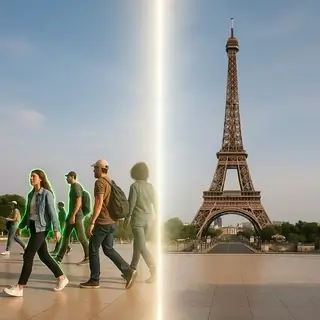
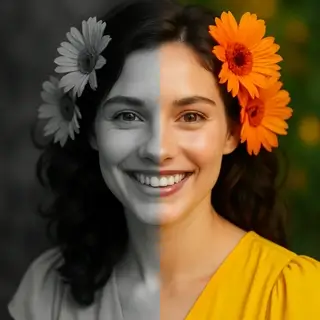
Examples of created images
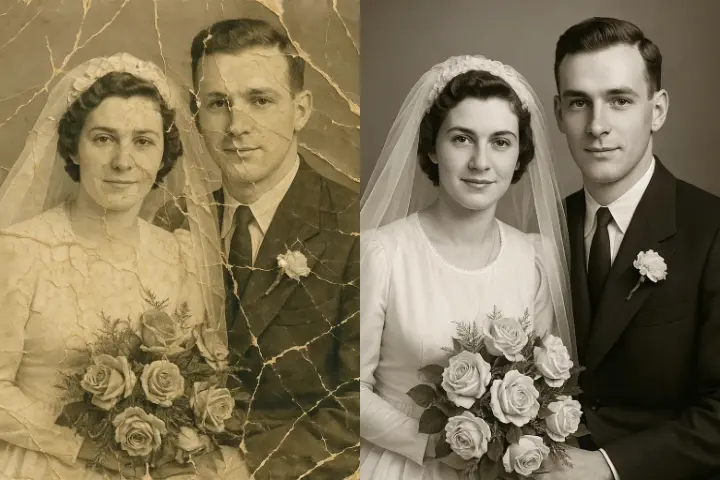
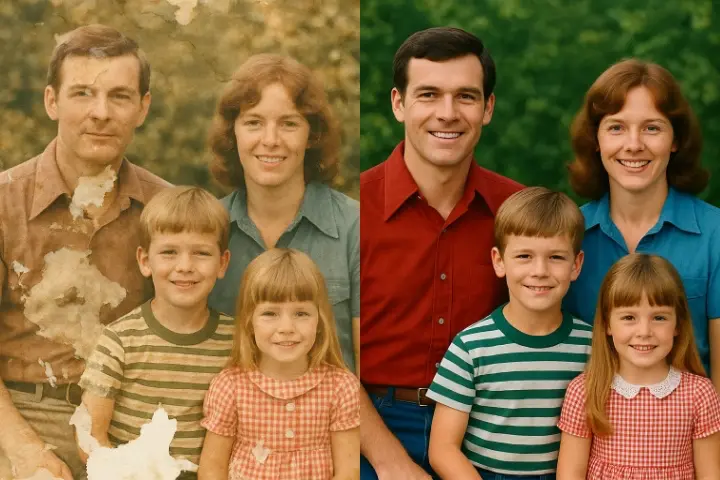
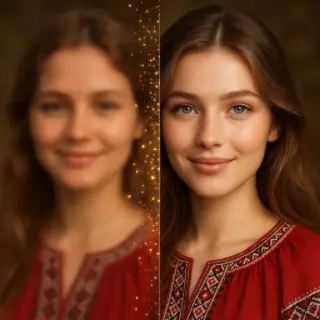

AI Photo Quality Enhancer — Improve Image Clarity Online
Free AI image enhancer online — improve photo quality, fix blurry images, enhance colors, and increase clarity in seconds. No registration required.
AI Image Enhancer Features
- Enhance image quality — Automatically improve brightness, contrast, color balance, and sharpness of any photo using advanced AI image processing.
- Fix blurry photos — The AI unblurs photos by restoring lost detail, sharpening edges, and reducing motion blur for clearer images.
- Color enhancement — Boost faded colors, correct white balance, and bring vibrancy to dull or underexposed photos automatically.
- Noise reduction — Remove grain and digital noise from low-light photos while preserving important details and textures.
- One-click enhancement — Upload any image and get an AI-enhanced version in seconds — no editing skills or manual adjustments needed.
How to Enhance Photo Quality Online
- Upload the photo you want to improve — the AI image enhancer works with any image format and resolution.
- The AI automatically analyzes your image and applies optimal enhancements for clarity, color, and sharpness.
- Preview the enhanced result side by side with the original to see the improvement.
- Download your enhanced image in high quality for free — no watermarks, no registration required.
How AI Photo Enhancement Works
Our free AI image enhancer uses deep learning models trained on millions of professional photographs to understand what makes an image look its best. When you upload a photo, the AI analyzes exposure, color accuracy, sharpness, and noise levels, then applies targeted improvements to each aspect. Unlike basic filters that apply uniform changes, AI photo enhancement adapts to each image individually — boosting shadows without overexposing highlights, sharpening edges without amplifying noise, and correcting colors while maintaining natural skin tones. The result is a professionally enhanced image that looks natural, not over-processed.
What the Image Enhancer Can Fix
- Blurry and out-of-focus photos — AI sharpening technology restores detail to slightly blurry images, making them clearer and more defined.
- Dark and underexposed images — Brighten photos taken in low light without washing out colors or introducing noise.
- Faded old photographs — Restore vibrancy to scanned old photos by enhancing colors, contrast, and overall image quality.
- Low-resolution images — Improve the apparent quality of small or compressed images by enhancing detail and reducing compression artifacts.
- Poor lighting conditions — Fix photos with harsh shadows, backlit subjects, or uneven lighting for a balanced, professional look.
Image Enhancer FAQ
Is this image enhancer free?
Yes, our AI image enhancer is completely free. Enhance photos online without registration, watermarks, or usage limits.
Can AI fix blurry photos?
Yes, the AI photo enhancer can improve slightly blurry images by restoring detail and sharpening edges. Severely out-of-focus photos may have limited improvement.
How do I improve image quality online?
Simply upload your photo to our AI image quality enhancer. The tool automatically analyzes and improves brightness, color, sharpness, and clarity in seconds.
Does the photo enhancer reduce image noise?
Yes, the AI automatically detects and removes digital noise and grain from low-light photos while preserving important details and textures.
See Also
- Colorize black and white photo with AI
- AI photo editor online
- Animate old photo online
- Increase photo resolution with AI
- All AI Image Tools

Not enough energy 😕
You need to top up your balance.







To keep generation costs low, we automatically delete old content. Make sure to save your generated content to avoid losing it