AI Age Progression
Upload your photo and specify the age you want to see yourself at


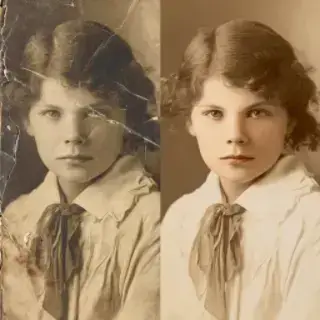
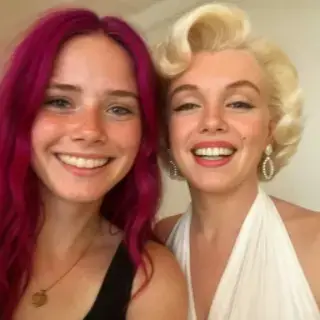
Examples of created images
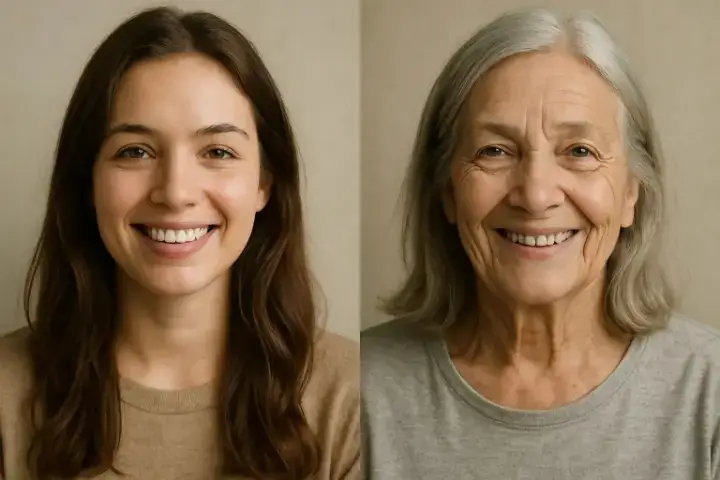
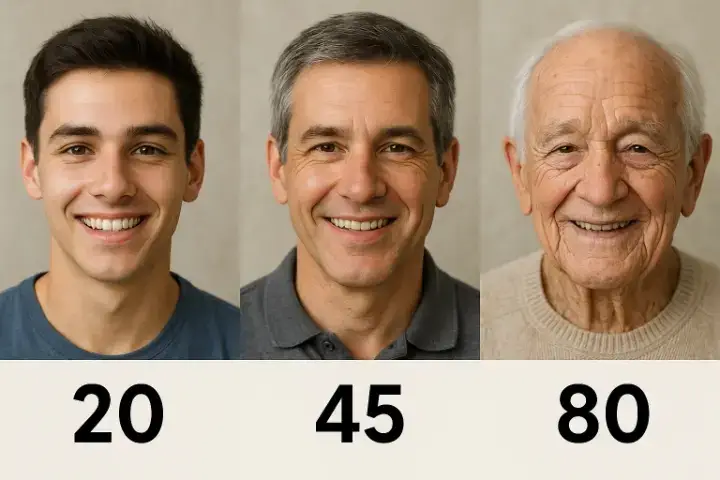
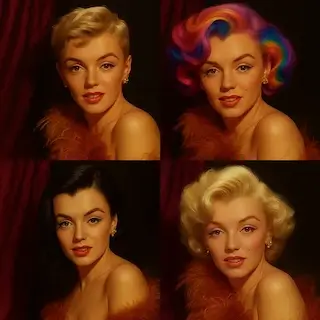
Face Aging Filter — See How You'll Look in 10, 20 or 50 Years
Free AI age progression & face aging app. Upload your photo and see yourself older or younger with a realistic aging filter. How will I look in 10, 20 or 50 years? No signup, results in seconds!
AI Age Progression App — Features
- Face Aging Filter — Apply a realistic aging filter to any photo. See yourself with wrinkles, grey hair, and natural age signs — the AI simulates decades of aging in seconds.
- AI Age Progression — Advanced AI analyzes your facial features and predicts how you'll look at 30, 50, 60 or 80 years old. Realistic results that preserve your unique features.
- Make Yourself Look Younger — Reverse the aging process — see what you looked like at 18 or how you'd look 10 years younger. The AI de-aging filter works in both directions.
- Age My Face Online Free — No app download needed. Age your face directly in the browser — works on iPhone, Android and desktop. Completely free, no signup required.
- Child Age Progression — Upload a child's photo to see how they'll look when they grow up. AI predicts the adult face from a kid's photo with realistic accuracy.
When to Use the Aging Filter
- How Will I Look in 10 Years? — Curious about your appearance a decade from now? Upload your photo and the AI shows you realistic age progression for 10, 20 or 30 years into the future.
- See Yourself at 50 or 80 — Jump ahead to see your face at retirement age. The aging app simulates natural changes — skin texture, wrinkles, hair color.
- Party & Social Media Fun — Create hilarious old-face photos of friends and family. Share the results on Instagram, TikTok or WhatsApp for guaranteed laughs.
- Before & After Comparison — See your young face and old face side by side. Perfect for birthday celebrations, reunions or just satisfying your curiosity.
How to Age Your Photo — 3 Steps
- Upload a clear selfie or portrait photo — front-facing works best for the most realistic aging results.
- Choose your target age: make yourself look older (50, 60, 80) or younger (18, 25). You can also type 'in 10 years' or 'in 20 years'.
- AI generates your aged or de-aged photo in seconds. Download the result and share with friends!
How AI Face Aging Works
Our AI age progression tool uses deep learning models trained on millions of faces across all age groups. The algorithm analyzes your facial structure — bone structure, skin texture, fat distribution — and applies scientifically accurate aging transformations. Unlike simple aging filters that just add wrinkles, our AI understands how faces actually change over time: cheekbones become more prominent, skin loses elasticity, hair thins and grays naturally. The same technology works in reverse for de-aging, smoothing wrinkles and restoring youthful features. Results are photorealistic and preserve your unique facial characteristics, making it impossible to tell the photo was AI-generated.
Frequently Asked Questions
Is the face aging app free?
Yes, completely free. Upload your photo, choose the target age, and download the result. No signup, no watermarks, no hidden fees.
What will I look like when I'm older?
Upload your photo to the AI age progression app and select an age preset — 50, 60, or 80 years old. The aging filter realistically simulates wrinkles, grey hair, and skin changes. You can also try specific timeframes like 'in 10 years' or 'in 20 years'.
Is there a free aging filter online?
Yes — our AI face aging tool works as a free aging filter online. Upload your photo, choose your target age, and download. No app installation needed, works on any device.
Can I make myself look younger too?
Yes! The AI works in both directions. Choose '18 years old' to see a de-aged version of yourself, or select 'make me look younger' to reverse aging effects.
How will I look in 10, 20 or 30 years?
Upload your current photo and select the desired time frame. The AI age progression algorithm simulates natural aging over that specific period, showing realistic changes to your face.
Does it work with children's photos?
Yes, you can upload a child's photo to see how they'll look as an adult. The AI predicts the grown-up face based on the child's current facial features.
See Also
- AI Baby Generator: See What Your Future Baby Will Look Like
- AI Photoshoot Generator
- Try On Hairstyles Free Online
- All AI Image Tools

Not enough energy 😕
You need to top up your balance.







To keep generation costs low, we automatically delete old content. Make sure to save your generated content to avoid losing it