AI Photo to Video — Turn Photos into Video Free Online
Upload a photo and describe the video transformation
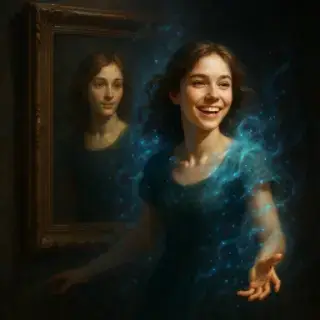
Examples of created videos
Image to Video AI — Create Videos from Photos with Music Online
Free AI photo to video maker online. Turn photos into video with music in minutes — AI animates any photo with motion and sound. No editing skills needed!
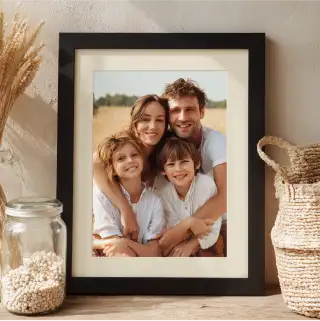
What the AI Photo to Video Tool Creates
- Animated Videos from Single Photos — upload one photo and the AI generates a video with smooth motion, zoom effects, and cinematic movement
- Videos with Synchronized Music — AI adds background music that matches the mood of your photo — romantic, energetic, emotional, or calm
- Portrait and Family Videos — turn portrait photos, family pictures, and vacation shots into memorable video moments
- Social Media Video Content — create short animated photo videos perfect for Instagram Stories, TikTok, and Facebook — stands out more than static photos
- Any Photo Style Works — portraits, landscapes, group photos, pets, travel shots — the AI animates any photo with natural-looking motion
How to Turn a Photo into a Video
- Upload your photo — portrait or any other image
- Choose a music style or describe the mood you want
- Click Generate — AI animates your photo and adds music
- Download your video and share it on social media or messaging apps
How AI Turns Photos into Videos
The AI photo-to-video tool uses neural networks to analyze your photo and generate smooth, realistic motion — subtle movement in hair, clothing, background, and facial expression. This creates a Ken Burns-style effect combined with AI-generated motion that makes static photos feel alive. Music is automatically matched to the visual mood of the image. The result is a short video clip that captures the feeling of the original photo in a dynamic, shareable format. The tool works with any photo — portraits, group shots, landscapes, or pet photos.
Photo to Video FAQ
Is the photo to video converter free?
Yes, your first video is free with no account required. Upload a photo, choose a music style, and download the result at no cost. Additional videos use energy credits available free or through a Prime subscription.
What types of photos work best?
Clear, well-lit photos produce the best results. Portrait photos with a distinct subject work especially well. The AI can animate any photo, but photos with good contrast and a clear focal point give the most impressive motion effects.
Can I choose the music for my photo video?
Yes. You can choose a music style from the suggestions (romantic, upbeat, dramatic, calm) or describe the mood you want in the prompt. The AI selects music that matches your chosen style.
How long are the generated photo videos?
Generated videos are typically 5–15 seconds long — ideal for social media stories and short posts. This length is perfect for sharing on Instagram Stories, TikTok, or WhatsApp status.
See Also
- Animate Old Photo — Bring Old and Historic Photos to Life
- Living Portrait — Create Talking Animated Portraits
- AI Video Generator — Create Videos from Text
- AI Photo Enhancer — Improve Photo Quality Before Animating
- All AI Video Tools


Not enough energy 😕
You need to top up your balance.






To keep generation costs low, we automatically delete old content. Make sure to save your generated content to avoid losing it