Animate Old Photos — Bring Old Photos to Life
Upload an image and describe the video
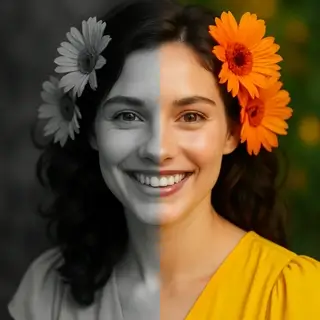
Examples of created videos
Make Old Photos Come to Life — Photo Animation Online Free
Free AI tool to animate old photos online. Upload an old photo — AI brings it to life with realistic movement. Make old photos move, animate faces and portraits in seconds. No signup.
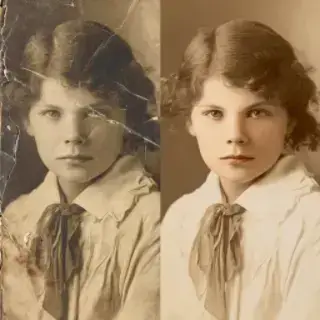
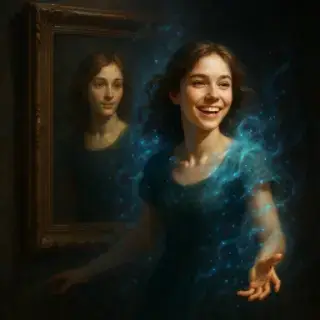
Animate Old Photos — What You Can Make Come to Life
- Old Family Photos — bring grandparents, great-grandparents, and ancestors to life — see them move and express emotion for the first time
- Historical Black and White Photos — animate historical portraits, vintage photographs, and archival images with realistic facial movement and expression
- Childhood and Baby Photos — watch old baby photos and childhood pictures come alive with natural movement — a touching and emotional result
- Memorial Photos — gently animate photos of loved ones who have passed — a meaningful way to preserve and share family memories
- Any Portrait Photo — works with any clear portrait — school photos, ID-style portraits, newspaper clippings, scanned prints, and more
How to Make Old Photos Come to Life Online Free
- Upload your old photo — scan, photo of a photo, or any image file works
- Choose an animation style from suggestions (subtle movement, emotional, dramatic) or write your own
- Click Generate — AI animates the photo with realistic facial and body movement
- Download the animated video and share it with family or on social media
How AI Makes Photos Come to Life — Bring Old Images to Life
The AI photo animation tool uses a neural network trained on video data to add realistic motion to still photographs. It identifies facial features, body position, and depth in the photo, then generates subtle, natural movement — blinking, head turning, slight breathing motion, and emotional expression. The result looks like a short video clip taken from a moment in time rather than a generated animation. The technology works especially well with portrait and face photos, where the AI can create convincingly lifelike movement. Black and white photos, low-resolution scans, and old prints all work — the AI enhances the image as it animates it.
Why People Make Old Photos Move
- Family History Projects — share animated ancestors at family reunions or in video presentations about your family's history
- Emotional Memorial Content — create a moving tribute to a deceased relative or friend by animating their photo — deeply personal and meaningful
- Social Media Virality — animated historical and old family photos regularly go viral on TikTok and Instagram — high engagement content
- Genealogy and Heritage Projects — bring historical figures and ancestors to life in genealogy presentations, school projects, and heritage videos
Animate Old Photos FAQ
Is the old photo animation tool free?
Yes, your first animation is free with no account required. Upload the old photo, click generate, and download the animated video at no cost. Additional animations use energy credits available free or through a Prime subscription.
What quality old photos work best for animation?
The clearer and higher-resolution the photo, the better the animation. But the AI handles old, faded, low-resolution, and black-and-white photos well. Even scanned prints and photos-of-photos often produce great results. Front-facing portrait orientation gives the most realistic face animation.
Can I animate a black and white old photo?
Yes, the AI animates black and white photos just as well as color ones. The motion is applied to the grayscale image, preserving the original look while adding lifelike movement. You can also request colorization in your prompt to get a colorized animated version.
How long is the animated video?
Animated photos are typically 3–8 seconds long — enough to show natural movement and expression. This length is perfect for sharing on social media, in presentations, or as a memorable video message.
Can I animate a group photo or just individual portraits?
The AI works best with individual portrait photos where one face is clearly visible. Group photos can be animated, but results are more realistic when the main subject is a single person in the foreground.
How do I make an old photo move online?
Upload the old photo, click Generate — the AI analyzes the image, identifies the face and creates natural movement. No software needed, works entirely in your browser. You can make any old photo move for free without registration.
See Also
- Photo to Video — Turn Photos into Videos with Music
- Living Portrait — Create Talking Animated Portraits
- AI Photo Enhancer — Restore and Enhance Old Photo Quality
- Portrait of Generations — Family Heritage Portrait Collages
- All AI Video Tools


Not enough energy 😕
You need to top up your balance.






To keep generation costs low, we automatically delete old content. Make sure to save your generated content to avoid losing it